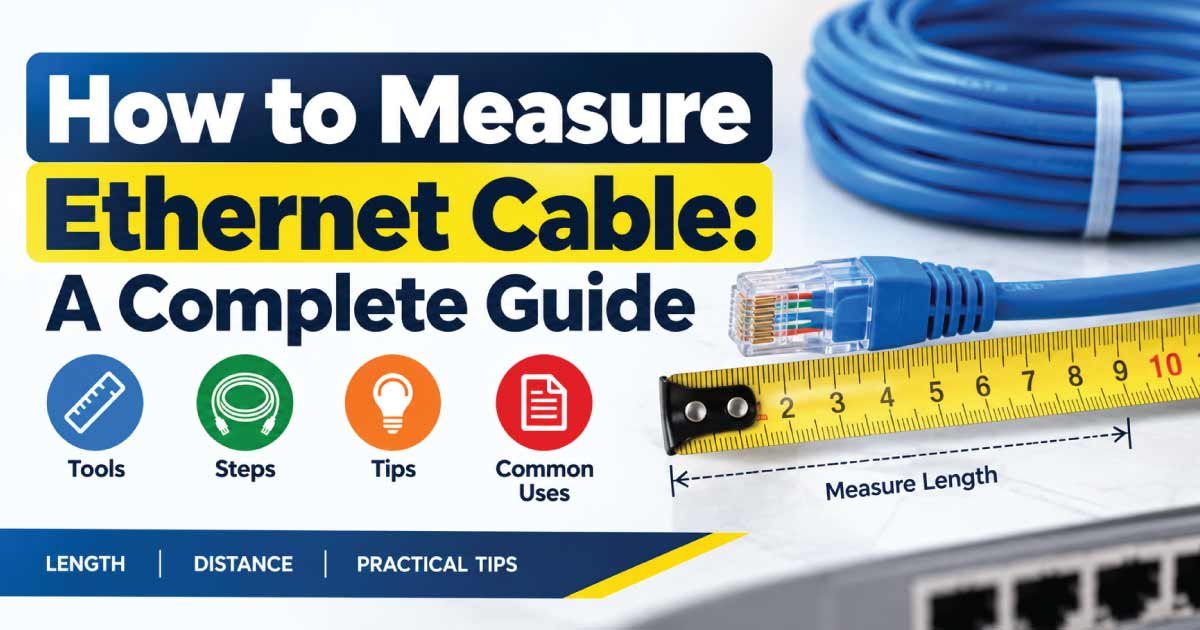
Measuring an Ethernet cable may sound simple, but the right method depends on what you need to know. You may want to measure Ethernet cable length, check the cable’s outside diameter, identify its category, inspect the wire arrangement, or determine whether an installed cable is suitable for a network.
The good news is that most basic measurements require only a few simple tools. A tape measure can determine physical length, while a ruler or caliper can help measure diameter. For installed cables, a cable tester or electronic length-measuring tool may provide more useful information.
This guide explains how to measure Ethernet cable accurately, including loose cables and cables already installed through walls, ceilings, or conduits. It also covers Cat5e, Cat6, Cat6a, cable diameter, conductor size, maximum recommended lengths, common mistakes, and practical cable-selection tips.
What Measurements Matter for an Ethernet Cable?
Before measuring a cable, determine exactly what you need to find. Ethernet cables have several characteristics that can be measured or identified, and each requires a different approach.
The most common measurements include:
- Cable length — the physical distance from one connector to the other.
- Outside diameter — the diameter of the complete cable jacket.
- Conductor size — the size of the individual copper conductors.
- Cable category — such as Cat5e, Cat6, or Cat6a.
- Connector type — commonly an RJ45-style modular connector for twisted-pair Ethernet.
- Pair arrangement — the organization of the twisted wire pairs.
- Cable construction — such as unshielded or shielded cable.
- Solid or stranded conductor — useful when determining installation suitability.
Not all of these characteristics can be determined reliably with a ruler. For example, the cable’s category should normally be identified from the jacket marking or manufacturer documentation rather than guessed from its diameter.
How to Measure Ethernet Cable Length
The easiest Ethernet cable to measure is a loose cable that has already been removed from an installation.
Method 1: Measure a Loose Ethernet Cable
If both ends of the cable are accessible, use a measuring tape.
Follow these steps:
- Disconnect the Ethernet cable from networking equipment.
- Place the cable on a clean, open surface.
- Straighten it gently without pulling or stretching it.
- Place the end of the measuring tape at the cable’s starting point.
- Follow the cable along its entire length.
- Record the measurement at the opposite end.
- Measure in feet or meters according to your preferred system.
Avoid stretching the cable tightly. Ethernet cable should be measured in its normal condition because excessive pulling can damage the conductors, insulation, or connector terminations.
If the cable has connectors attached, decide whether you need the overall cable length including connectors or the approximate jacket length between connectors. For most networking applications, the total cable assembly length is the useful measurement.
Method 2: Measure a Coiled Cable
A coiled cable can be difficult to measure accurately if you simply measure the outside of the coil.
The better approach is to gradually straighten the cable and measure it along its actual path.
If the cable is extremely long, measure it in sections. For example, measure several 5- or 10-meter sections and add the measurements together.
This approach reduces errors caused by:
- Tight bends
- Uneven coils
- Cable overlap
- Twisting
- Loose loops
How to Measure Ethernet Cable Diameter
Ethernet cable diameter refers to the outside diameter of the complete cable, including its insulation, jacket, and any shielding.
This measurement is particularly important when installing cable through:
- Conduit
- Cable glands
- Raceways
- Cable trays
- Wall penetrations
- Patch panels
- Cable management systems
Using a Vernier or Digital Caliper
A digital caliper is one of the most accurate tools for measuring cable outside diameter.
To measure it:
- Disconnect the cable if possible.
- Place the cable between the caliper jaws.
- Close the jaws gently until they contact the outer jacket.
- Do not compress the cable.
- Read the diameter on the display.
- Take measurements at several points if accuracy is important.
The result might be expressed in millimeters, such as 5.8 mm or 7.2 mm.
Do not squeeze a flexible cable tightly with the caliper. Compression can produce an artificially small measurement.
Using a Ruler
If you do not have a caliper, you can use a ruler for a rough measurement.
Place the cable beside the ruler and compare its diameter with the scale. A ruler is less precise because small differences can be difficult to see.
For installations where cable fill or connector compatibility matters, a digital caliper is preferable.
Ethernet Cable Diameter vs. Conductor Size
One common mistake is confusing the cable’s outside diameter with the size of the copper conductor.
These are different measurements.
The outside diameter describes the complete cable. It includes:
- Copper conductors
- Conductor insulation
- Twisting
- Separator, if present
- Shielding, if present
- Outer jacket
The conductor size describes an individual electrical conductor.
For example, an Ethernet cable can have relatively small copper conductors while having a much larger overall diameter because of insulation, separators, shielding, or jacket material.
Therefore, measuring the outside diameter does not tell you the exact conductor gauge.
How to Identify Ethernet Cable Category
If your goal is to determine whether you have Cat5e, Cat6, Cat6a, or another cable type, measuring the physical diameter is not the most reliable method.
Instead, inspect the printing on the cable jacket.
Check the Cable Jacket
Many Ethernet cables have information printed along the outer jacket at regular intervals.
Look for markings such as:
- CAT5E
- CAT6
- CAT6A
- Manufacturer name
- Cable model
- Conductor information
- Voltage rating
- Certification markings
- Shielding designation
The jacket marking is generally much more useful than appearance alone.
If the printing has worn away, look for manufacturer documentation, product packaging, or other identification information.
Why Diameter Alone Is Not Enough
Two cables can have similar outside diameters but different internal constructions. Conversely, cables of the same category can have different diameters because manufacturers may use different jacket materials, conductor constructions, separators, shielding, and other designs.
For this reason, do not identify Cat5e, Cat6, or Cat6a solely by measuring diameter.
Common Ethernet Cable Categories
Ethernet twisted-pair cables are available in several categories. The following table provides a general comparison of commonly encountered categories.
| Cable Category | Typical Use | Common Rated Frequency | General Notes |
|---|---|---|---|
| Cat5e | Gigabit Ethernet networks | 100 MHz | Common for home and office installations |
| Cat6 | Gigabit and higher-speed networks | 250 MHz | Improved performance and tighter specifications |
| Cat6a | Higher-speed structured cabling | 500 MHz | Designed for 10 Gigabit Ethernet over appropriate distances |
| Cat7 | Specialized structured cabling | 600 MHz | Shielding and installation requirements vary |
| Cat8 | High-speed data-center applications | 2000 MHz | Intended for short, high-bandwidth links |
Exact performance depends on the complete channel, installation method, connectors, equipment, and applicable cabling standard. Therefore, category markings should be interpreted together with manufacturer specifications and the relevant networking standard.
How to Measure an Installed Ethernet Cable
Measuring a cable that is already installed is more difficult because the entire cable may not be accessible.
For example, the cable may run from a network switch through a wall and into another room.
You generally have three options.
Estimate the Cable Route
If the installation is visible or you know the cable path, measure the route from one endpoint to the other.
Include:
- Horizontal runs
- Vertical sections
- Cable tray routes
- Service loops
- Turns around corners
Do not measure only the straight-line distance between the two endpoints. The cable may travel considerably farther because of the installation route.
Use a Cable Tester With Length Measurement
Some advanced Ethernet cable testers can estimate cable length using electrical measurements.
Depending on the device, the tester may also identify:
- Open conductors
- Short circuits
- Pair faults
- Wiring errors
- Split pairs
- Approximate cable length
This is useful for troubleshooting cables that cannot easily be removed.
The accuracy of electronic cable-length measurement varies by equipment, cable construction, and test conditions, so treat the displayed length as a measurement produced by the tester rather than assuming it is physically exact.
Use a Time-Domain Measurement Tool
Professional cable certification and troubleshooting equipment can use techniques based on signal reflection to estimate the distance to faults or cable ends.
These tools can be useful when you need to determine:
- Approximate cable length
- Distance to an open circuit
- Distance to a short
- Fault location
They are more specialized than a basic network cable tester and are generally unnecessary for simple home installations.
How to Measure Ethernet Cable Wiring
Sometimes “measuring” an Ethernet cable actually means checking how the wires are arranged inside the connector.
A standard twisted-pair Ethernet cable contains four twisted pairs, giving a total of eight conductors.
The connector termination can be checked against the appropriate wiring scheme.
T568A and T568B
Two commonly referenced termination arrangements are T568A and T568B.
The important point is consistency with the intended installation and equipment requirements.
A cable tester can make this process much easier because it can show whether all conductors are connected and whether the pair arrangement is correct.
A basic tester may indicate problems such as:
- Open wire
- Shorted wire
- Reversed pair
- Miswired conductor
- Missing conductor
- Split pair
A cable can look perfectly normal externally while having an incorrect termination internally.
Ethernet Cable Length Limits
Cable length is an important part of Ethernet network planning.
For common twisted-pair structured cabling systems, the widely used channel model allows up to 100 meters of total channel length, with the exact structured-cabling configuration and component limits determined by the applicable standard.
A common structured cabling arrangement uses:
- Up to 90 meters of permanent link
- Up to 10 meters of patch cords and related connections
The exact allowance depends on the cabling architecture, installation conditions, and standard being followed.
Why Cable Length Matters
As the cable run becomes longer, signal quality can become more difficult to maintain. Excessive length can contribute to network performance problems or prevent a link from operating at its intended speed.
Before installing a long Ethernet run, consider:
- Cable category
- Required network speed
- Installation environment
- Total channel length
- Patch-cord lengths
- Connector quality
- Electromagnetic interference
- Manufacturer specifications
For runs approaching the applicable maximum, accurate measurement becomes particularly important.
How to Calculate Ethernet Cable Length Before Installation
If you are planning a new Ethernet installation, measure the route before purchasing cable.
Start at the network equipment and follow the planned path to the endpoint.
Add measurements for:
- Horizontal sections
- Vertical drops
- Ceiling routes
- Wall penetrations
- Conduit sections
- Equipment connections
- Service loops
It is generally wise to allow some additional cable for termination and future cable management rather than ordering exactly the calculated route length.
However, adding excessive cable unnecessarily can increase cost and make installation less tidy.
A simple planning table can help:
| Route Section | Measured Length |
|---|---|
| Network rack to ceiling | 3 m |
| Ceiling run | 18 m |
| Wall drop | 4 m |
| Equipment connection area | 2 m |
| Estimated route | 27 m |
The numbers above are an example for planning, not a recommended standard cable length.
Tools for Measuring Ethernet Cable
The best tool depends on the measurement you need.
| Tool | Primary Purpose | Best For |
|---|---|---|
| Tape measure | Physical length | Loose or accessible cable |
| Ruler | Approximate diameter | Quick visual measurement |
| Digital caliper | Outside diameter | Precise cable-diameter measurement |
| Cable tester | Wiring and continuity | Troubleshooting terminations |
| Advanced cable tester | Length and faults | Installed cable diagnostics |
| Manufacturer documentation | Specifications | Category and construction identification |
For basic household work, a tape measure and cable tester are often sufficient.
How to Choose the Correct Ethernet Cable
Measuring an existing cable can help you identify what you have, but if you are buying a replacement or installing new cable, selection should be based on the application.
Consider Network Speed
Determine the speed your network equipment needs to support.
Your switch, router, network interface, and cable all form part of the connection. Choosing cable solely because it has a higher category number does not automatically improve every network.
Consider Installation Environment
Cable construction matters.
For example, you may need to consider:
- Indoor versus outdoor installation
- Shielded versus unshielded construction
- Solid versus stranded conductors
- Temperature conditions
- Required jacket rating
- Exposure to interference
- Conduit or cable-tray requirements
Always check the manufacturer’s specifications for the exact cable.
Consider Cable Diameter
If the cable will pass through a restricted space, measure or verify its outside diameter.
Diameter can affect:
- Conduit fill
- Cable gland selection
- Patch-panel compatibility
- Cable-management hardware
- Bend radius
- Installation space
A cable that performs correctly electrically may still be unsuitable for a physically restricted installation.
Common Mistakes When Measuring Ethernet Cable
Several simple mistakes can make measurements inaccurate.
Measuring a Straight-Line Distance
Measuring directly from one endpoint to another ignores the actual cable route.
Always follow the intended path when planning an installation.
Stretching the Cable
Pulling a cable tight can change its measured physical length and potentially damage it.
Measure it without unnecessary tension.
Using Diameter to Determine Category
Cable diameter is not a reliable way to distinguish Cat5e from Cat6 or other categories.
Check the jacket marking or manufacturer information instead.
Measuring Only the Visible Section
For an installed cable, the visible section may represent only part of the complete run.
Use the known route or appropriate test equipment when the cable passes through inaccessible areas.
Ignoring Connectors and Patch Cords
When evaluating the total network channel, consider the complete connection rather than only the cable installed inside a wall.
Tips for More Accurate Ethernet Cable Measurements
For reliable results, follow a few practical habits:
- Measure twice when cutting or ordering cable.
- Use a digital caliper when outside diameter matters.
- Follow the actual cable route rather than measuring point-to-point.
- Read the jacket markings before attempting to identify cable category.
- Use a cable tester to verify the eight-conductor connection.
- Avoid sharply bending the cable during measurement.
- Do not compress the jacket when measuring diameter.
- Keep track of measurements in the same unit.
- Consider the entire channel when checking Ethernet length.
- Check the manufacturer’s documentation for exact specifications.
- Follow applicable structured-cabling requirements for permanent installations.
These practices reduce both measurement errors and installation problems.
Why Accurate Ethernet Cable Measurement Matters
Correct measurement is not simply about knowing how many feet or meters of cable you have.
Accurate measurements can help you:
- Order the correct amount of replacement cable.
- Avoid unnecessary cable waste.
- Plan network installations more effectively.
- Determine whether an existing route is within applicable length limits.
- Select compatible cable-management hardware.
- Troubleshoot installed cables.
- Verify whether a cable’s physical dimensions suit a restricted space.
- Document network infrastructure for future maintenance.
For professional installations, measurements should be combined with appropriate testing and documentation rather than relying on visual inspection alone.
Frequently Asked Questions About Measuring Ethernet Cable
How do I measure the length of an Ethernet cable?
For a loose Ethernet cable, disconnect it, straighten it gently, and measure from one end to the other with a tape measure. For installed cable, follow the actual route or use suitable cable-testing equipment capable of estimating cable length.
Can I measure Ethernet cable diameter with a ruler?
Yes, a ruler can provide a rough outside-diameter measurement. However, a digital caliper is more accurate, particularly when cable diameter affects conduit fill, cable glands, connectors, or cable-management hardware.
How can I tell if my Ethernet cable is Cat5e or Cat6?
Check the printing on the cable jacket for a category designation such as Cat5e or Cat6. Do not rely only on cable diameter or appearance because different cable constructions can have similar physical dimensions.
What is the maximum Ethernet cable length?
For common structured twisted-pair Ethernet installations, a 100-meter channel is widely used as the overall channel limit, with the exact permanent-link and patch-cord allowances depending on the applicable cabling standard and installation configuration.
How can I measure an Ethernet cable hidden inside a wall?
If both ends are accessible, an advanced cable tester may estimate the cable length. You can also estimate the route by measuring the known path. Specialized diagnostic equipment can help locate faults or cable ends in difficult installations.
Does a thicker Ethernet cable perform better?
Not necessarily. Outside diameter alone does not determine network performance. Cable category, conductor construction, termination, installation quality, length, and compliance with the relevant specifications are more important factors.
Conclusion
Learning how to measure Ethernet cable starts with identifying which measurement you actually need. A tape measure is suitable for accessible cable length, while a digital caliper provides a more precise outside-diameter measurement. For installed cables, cable testers and specialized diagnostic equipment can help estimate length and identify wiring faults.
Remember that physical dimensions alone cannot reliably identify cable category or performance. Check jacket markings and manufacturer documentation for specifications, and consider the complete network channel when evaluating cable length.
Whether you are replacing a short patch cable, planning a structured cabling installation, or troubleshooting a cable inside a wall, accurate measurement helps you select the right cable, reduce waste, and build a more reliable network.