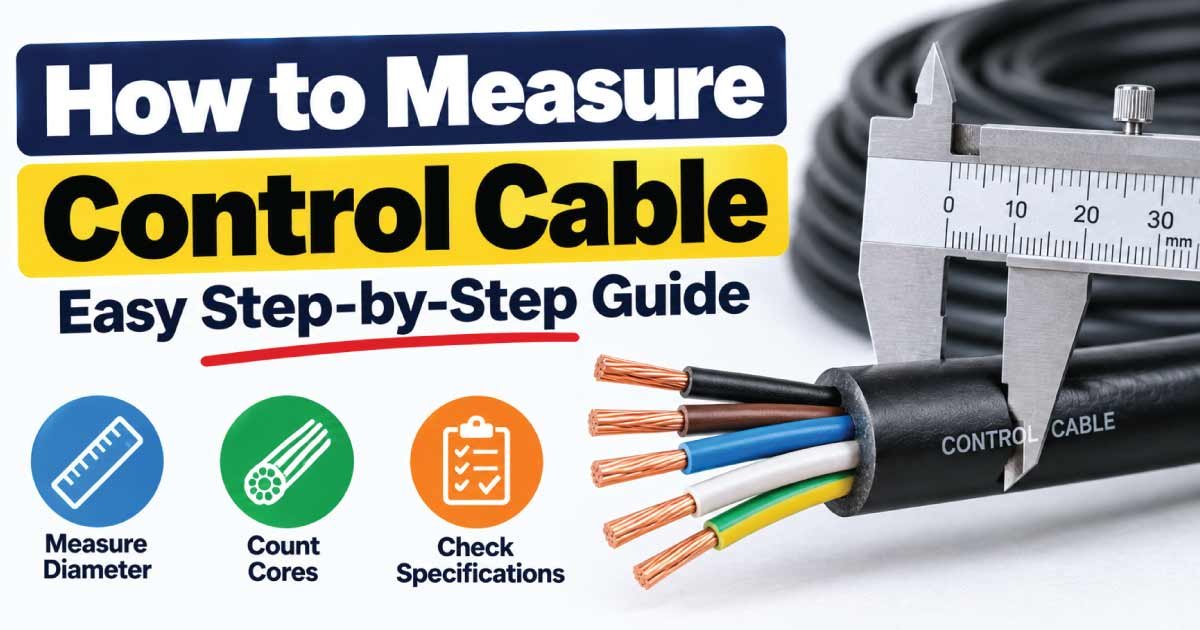
Knowing how to measure control cable size is important when replacing, extending, troubleshooting, or installing electrical control wiring. Control cables are used to transmit signals and control power between equipment such as motors, sensors, control panels, PLCs, switches, relays, actuators, and industrial machines.
Unlike simply measuring the outside diameter of a cable, determining its actual size requires looking at the conductor cross-sectional area, number of cores, conductor diameter, insulation, and cable construction. The correct measurement can also help you identify an existing cable when its markings are difficult to read.
This guide explains how to measure control cable size step by step, how to measure cable diameter and conductor area, how to read cable markings, how to count cores, and what factors should be considered when selecting a replacement control cable.
What Is Control Cable Size?
Control cable size generally describes the size of the individual conductors inside the cable. Metric control cables are commonly identified by the conductor’s cross-sectional area in square millimeters (mm²).
For example, a control cable may be identified as:
- 0.5 mm²
- 0.75 mm²
- 1.0 mm²
- 1.5 mm²
- 2.5 mm²
- 4 mm²
- 6 mm²
The cable designation may also include the number of cores. A cable marked 4 × 1.5 mm², for example, generally indicates four conductors, each having a nominal cross-sectional area of 1.5 mm².
The exact designation depends on the cable type and manufacturer’s marking system.
Conductor Size vs. Overall Cable Size
It is important to distinguish between conductor size and the complete cable diameter.
Conductor size refers to the conductive metal cross-sectional area of an individual core.
Overall cable diameter refers to the outside diameter of the complete cable, including insulation, fillers, sheath, shielding, and other construction layers when present.
Therefore:
Overall cable diameter does not directly equal conductor size.
A control cable with several small conductors can have a much larger outside diameter than a single-core cable with a larger conductor.
Why Measuring Control Cable Correctly Matters
Control systems depend on reliable electrical signals. Selecting or replacing a cable with the wrong conductor size, core count, voltage rating, or construction can cause operational problems.
Correct cable identification helps you:
- Select a suitable replacement cable.
- Verify an existing installation.
- Determine conductor cross-sectional area.
- Identify the number of cores.
- Check cable compatibility with terminals.
- Estimate voltage drop.
- Confirm physical installation requirements.
- Avoid unnecessarily oversized or undersized conductors.
Control cable sizing is not determined by conductor area alone. Depending on the application, you may also need to consider signal type, current, voltage, cable length, shielding, environmental conditions, flexibility, and applicable electrical requirements.
How to Measure Control Cable Size Step by Step
There are several ways to determine the size of a control cable. The best method is to begin with the cable’s markings and use physical measurements only when necessary.
1. Check the Cable Jacket Markings
The easiest and safest identification method is to inspect the printing on the cable sheath.
Manufacturers may print information such as:
- Number of cores
- Conductor size
- Voltage rating
- Cable type
- Manufacturer
- Temperature rating
- Applicable standard
- Shielding information
- Certification markings
A marking such as 7 × 1.5 mm² can indicate a seven-core cable with 1.5 mm² conductors, depending on the manufacturer’s designation.
If the marking is readable, use it together with the manufacturer’s datasheet rather than relying on physical diameter measurements.
2. Safely Isolate the Cable
If you need to physically inspect or strip a control cable, make sure the circuit is safely isolated first.
Do not cut or strip an energized control cable. Control circuits can contain hazardous voltages, and some systems may have stored electrical energy or multiple power sources.
Follow the applicable electrical isolation and lockout procedures. If you are uncertain about the circuit, have the cable inspected by a qualified electrician or technician.
3. Identify the Number of Cores
Count the individual insulated conductors inside the cable.
For example, you may find:
- 2 cores
- 3 cores
- 4 cores
- 5 cores
- 7 cores
- 12 cores
- 19 cores
- More complex multicore arrangements
Core count is important because two cables with the same conductor size can have completely different applications if their number of cores differs.
4. Measure the Conductor Diameter
If the cable marking is unavailable, expose the conductor after safely disconnecting the cable.
Use a digital caliper or micrometer to measure the diameter of the conductor.
For a round solid conductor, cross-sectional area can be calculated using:
A = π × d² ÷ 4
Where:
- A = cross-sectional area in mm²
- d = conductor diameter in mm
- π ≈ 3.1416
For example, if a solid conductor measures approximately 1.78 mm in diameter:
A = 3.1416 × 1.78² ÷ 4
The result is approximately 2.5 mm².
This calculation is useful for a solid round conductor, but many control cables use stranded conductors.
5. Measure Stranded Conductors Carefully
Stranded control cable conductors contain multiple individual wires.
Measuring the entire bundle with a caliper does not necessarily give an accurate conductor cross-sectional area because the spaces between strands affect the measurement.
If the strand construction is accessible, one approach is to:
- Count the individual strands.
- Measure the diameter of one strand.
- Calculate the approximate area of one strand.
- Multiply it by the number of strands.
The simplified formula is:
A = n × π × d² ÷ 4
Where:
- n = number of strands
- d = diameter of each strand
This provides an approximate mathematical area. The manufacturer’s stated conductor size should remain the preferred reference because conductor construction and manufacturing tolerances can vary.
Control Cable Measurement Chart
The following values show approximate solid-conductor diameters calculated from nominal metric cross-sectional areas. They are useful for understanding the relationship between diameter and area but should not be used as an exact physical diameter chart for stranded control cables.
| Nominal Conductor Size (mm²) | Approx. Solid Diameter (mm) | General Size Category |
|---|---|---|
| 0.5 | 0.80 | Small |
| 0.75 | 0.98 | Small |
| 1.0 | 1.13 | Small |
| 1.5 | 1.38 | Common |
| 2.5 | 1.78 | Common |
| 4 | 2.26 | Larger |
| 6 | 2.76 | Larger |
| 10 | 3.57 | High cross-sectional area |
| 16 | 4.51 | Large conductor |
Actual control cable dimensions will differ because stranded conductors, insulation, fillers, shielding, and outer jackets affect the finished construction.
How to Measure Control Cable Diameter
If you need to know the physical diameter of a control cable, measure the outside of the complete cable jacket using a digital caliper.
Place the caliper across the cable without excessively compressing the outer sheath. Record the measurement in millimeters.
For example:
Measured outside diameter = 12.4 mm
This measurement is useful when determining whether the cable can fit through:
- Cable glands
- Conduit
- Cable trays
- Protective tubing
- Connector openings
- Equipment entry points
However, outside diameter should not be used by itself to determine conductor size.
Why Cable Diameter Can Be Misleading
A multicore control cable contains several insulated conductors. Some cables may also contain:
- Shielding
- Drain wires
- Fillers
- Inner sheaths
- Armor
- Outer jackets
Consequently, the overall diameter depends on the entire construction rather than just the conductor size.
Two cables with identical 1.5 mm² conductors can have different outside diameters because their insulation and sheath designs differ.
How to Measure Control Cable Length
Cable length is another important measurement, particularly when replacing an existing installation or calculating voltage drop.
Measure the actual routing distance rather than simply measuring the straight-line distance between two pieces of equipment.
Consider the route through:
- Conduit
- Cable trays
- Control cabinets
- Junction boxes
- Machine frames
- Flexible cable carriers
Leave appropriate allowance for termination and routing according to the installation requirements.
For an existing cable, avoid assuming that the visible distance between two devices represents the actual cable length. The cable may take a longer route through a panel or machine.
How to Read a Control Cable Size Marking
Cable markings can contain several pieces of information.
A simplified example might look like:
12 × 1.5 mm²
This commonly indicates:
- 12 = number of conductors
- 1.5 mm² = nominal conductor cross-sectional area
Another cable might be identified using an AWG designation rather than mm².
The marking may also include information about:
- Voltage
- Temperature
- Shielding
- Cable type
- Insulation material
- Manufacturer
- Certification
Always consult the manufacturer’s documentation when the marking is unfamiliar.
Common Control Cable Sizes
Control cable sizes vary significantly according to the application. Small signal and control circuits may use relatively small conductors, while control power circuits can require larger conductors.
| Conductor Size | Potential Use | Selection Consideration |
|---|---|---|
| 0.5 mm² | Small control or signal circuits | Verify current and equipment requirements |
| 0.75 mm² | Control and instrumentation applications | Check voltage drop and installation conditions |
| 1.0 mm² | General control wiring | Verify current capacity |
| 1.5 mm² | Common control and auxiliary circuits | Check load and cable length |
| 2.5 mm² | Higher-current control circuits | Verify terminals and voltage drop |
| 4 mm² | Higher-current applications | Consider installation and termination requirements |
| 6 mm²+ | Larger control or auxiliary power circuits | Detailed cable selection is recommended |
These are general examples rather than universal application rules. The correct conductor size must be determined from the actual circuit requirements and applicable electrical standards.
How to Choose the Correct Control Cable Size
Measuring an existing cable tells you what you have. It does not automatically tell you what should be installed in a new circuit.
When selecting a control cable, consider the following factors.
Current Capacity
Determine the expected current and compare it with the cable’s allowable capacity under the actual installation conditions.
Do not assume that a conductor is suitable simply because its cross-sectional area looks large enough.
Voltage
Check the circuit voltage and the cable’s voltage rating.
The cable should be suitable for the electrical system in which it will be installed.
Cable Length
Long cable runs have greater conductor resistance and may experience more voltage drop.
For control circuits involving relatively low voltages or sensitive equipment, voltage drop can be particularly important.
Number of Cores
Determine how many conductors are required.
The required core count may depend on:
- Control signals
- Power supply
- Grounding or protective conductors
- Sensor connections
- Feedback signals
- Communication requirements
Shielding
Some control and instrumentation applications require shielded cable to reduce the effects of electromagnetic interference.
Shielding requirements depend on the equipment, signal type, surrounding electrical environment, and manufacturer’s recommendations.
Flexibility
If the cable moves repeatedly, such as in a robotic system or machine cable carrier, a cable designed for continuous flexing may be required.
A standard stationary control cable should not automatically be substituted for a cable intended for repeated movement.
Control Cable vs. Power Cable
Control cables and power cables can look similar, but their intended functions can differ.
| Feature | Control Cable | Power Cable |
|---|---|---|
| Primary Purpose | Control and signal circuits | Power transmission |
| Typical Construction | Often multicore | Single-core or multicore |
| Signal Applications | Common | Less typical |
| Shielding | May be required | Depends on application |
| Core Count | Often multiple | Varies |
| Sizing Factors | Current, voltage drop, signals, environment | Current, voltage, installation, voltage drop |
| Application | Panels, machines, automation | Motors, distribution, equipment |
The distinction is not absolute because some control cables can carry control power and some power cables can contain multiple conductors.
Always select cable based on the actual application and its required ratings.
How to Measure Control Cable Without Cutting It
In many situations, you should avoid stripping an existing cable simply to identify its size.
Use this sequence instead:
- Inspect the cable jacket.
- Read all visible markings.
- Record the number of cores if accessible.
- Measure the overall diameter if necessary.
- Identify the manufacturer and cable type.
- Look up the manufacturer’s technical documentation.
- Compare the measured dimensions with the documented cable construction.
This approach is especially useful when the cable is permanently installed and removing insulation would damage the wiring.
Tools for Measuring Control Cable
The following tools can help with cable identification and measurement:
- Digital caliper: For measuring overall cable or conductor diameter.
- Micrometer: For more precise conductor measurements.
- Wire stripper: For safely exposing conductors when appropriate.
- Ruler or measuring tape: For measuring cable length.
- Magnifying glass: For inspecting small cable markings.
- Multimeter: For electrical testing, not direct conductor-size measurement.
- Manufacturer datasheet: The preferred source for confirming cable specifications.
A multimeter cannot directly tell you whether a conductor is 0.75 mm², 1.5 mm², or 2.5 mm². Electrical resistance measurements can provide additional information in controlled conditions, but they should not replace the cable’s documented specification.
Common Mistakes When Measuring Control Cable
Using Overall Diameter as Conductor Size
The outside diameter includes insulation and other cable components. It should not be treated as the conductor’s cross-sectional area.
Ignoring the Number of Cores
A 4-core cable and a 12-core cable may have identical conductor sizes but serve completely different purposes.
Assuming Every Cable With the Same Diameter Is Equivalent
Different manufacturers can use different insulation thicknesses and constructions.
Measuring a Stranded Conductor as if It Were Solid
Stranded conductors contain spaces between individual strands. A direct bundle measurement can therefore be misleading.
Ignoring Shielding
Sensitive control and instrumentation circuits may require appropriate shielding depending on the environment and signal type.
Choosing Cable Only by Current
Current is important, but cable selection can also depend on voltage, voltage drop, temperature, installation method, flexibility, environmental exposure, and applicable standards.
Damaging an Installed Cable to Identify It
Whenever possible, use cable markings and manufacturer documentation instead of stripping a functioning cable.
Practical Control Cable Measurement Checklist
Before identifying or replacing a control cable, record the following information:
- Conductor size in mm² or AWG
- Number of cores
- Overall cable diameter
- Cable length
- Conductor material
- Voltage rating
- Temperature rating
- Insulation type
- Shielding
- Armor, if present
- Flexibility requirements
- Installation environment
- Manufacturer and cable model
- Applicable electrical requirements
Having this information makes it much easier to compare replacement cables accurately.
Frequently Asked Questions About Measuring Control Cable
How do I know what size my control cable is?
First inspect the cable jacket for printed markings showing the conductor size and number of cores. If the markings cannot be read, safely expose the conductor and measure it with a caliper. For stranded conductors, manufacturer documentation is generally more reliable than diameter measurements alone.
Can I measure control cable size with a caliper?
Yes, a caliper can measure the overall cable diameter or conductor diameter. However, overall cable diameter does not directly identify conductor size. For stranded conductors, use the cable marking or manufacturer’s datasheet whenever possible to confirm the nominal cross-sectional area.
What does 4 × 1.5 mm² control cable mean?
A designation such as 4 × 1.5 mm² commonly indicates four conductors, with each conductor having a nominal cross-sectional area of 1.5 mm². The exact meaning should be confirmed against the manufacturer’s cable designation because marking conventions can vary.
Does control cable length affect cable size?
Yes. Longer cable runs have greater electrical resistance and can produce greater voltage drop. Depending on the circuit voltage, current, equipment sensitivity, and allowable voltage drop, a larger conductor may be required for a longer control cable run.
Is a larger control cable always better?
No. A larger conductor generally has lower resistance, but the correct cable must also meet voltage, current, termination, installation, flexibility, environmental, and equipment requirements. Oversizing can increase cost and may create compatibility or installation issues without providing a necessary benefit.
Final Thoughts on Measuring Control Cable
Learning how to measure control cable requires more than measuring the outside of the jacket. The most important information is usually the conductor’s nominal cross-sectional area, number of cores, cable construction, and relevant electrical ratings.
Start by checking the cable markings because this is normally the easiest and most reliable way to identify an existing cable. If the markings are unavailable, carefully measure the conductor diameter and use the appropriate calculation, while remembering that stranded construction can make direct diameter measurements less precise.
For new installations, do not select a control cable based solely on physical size. Consider current, voltage, voltage drop, cable length, core count, shielding, flexibility, environmental conditions, and applicable electrical requirements.
When exact specifications are important, verify the cable manufacturer’s datasheet and the requirements applicable to the installation. This approach helps ensure that the replacement or new control cable is electrically suitable, physically compatible, and appropriate for its intended application.