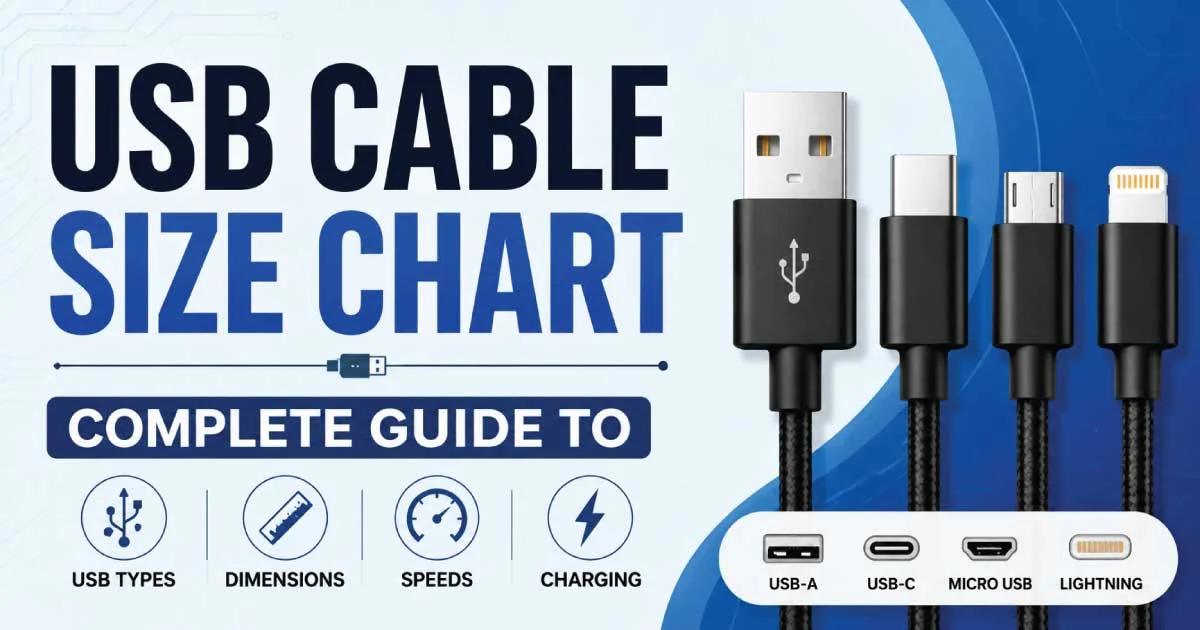
A USB cable size chart is a reference guide that helps users identify different USB connector types, cable dimensions, transfer speeds, charging capabilities, and compatibility.
Since USB standards have evolved significantly over the years, understanding cable sizes prevents purchasing the wrong cable and ensures devices perform at their maximum potential.
Whether you are charging a smartphone, transferring files, or connecting peripherals, a USB cable size chart simplifies the selection process by comparing every major USB connector in one place.
Why Understanding USB Cable Sizes Matters
USB cables may appear similar, but they differ in connector shape, supported speed, power delivery, and intended devices. Using the correct cable improves charging efficiency, ensures stable data transfer, and extends the lifespan of connected devices. Businesses, IT professionals, and everyday consumers benefit from understanding cable specifications before making a purchase.
Some important reasons include:
- Faster charging performance
- Higher data transfer rates
- Better compatibility
- Reduced device damage
- Future-proof purchasing decisions
USB Cable Size Chart Overview
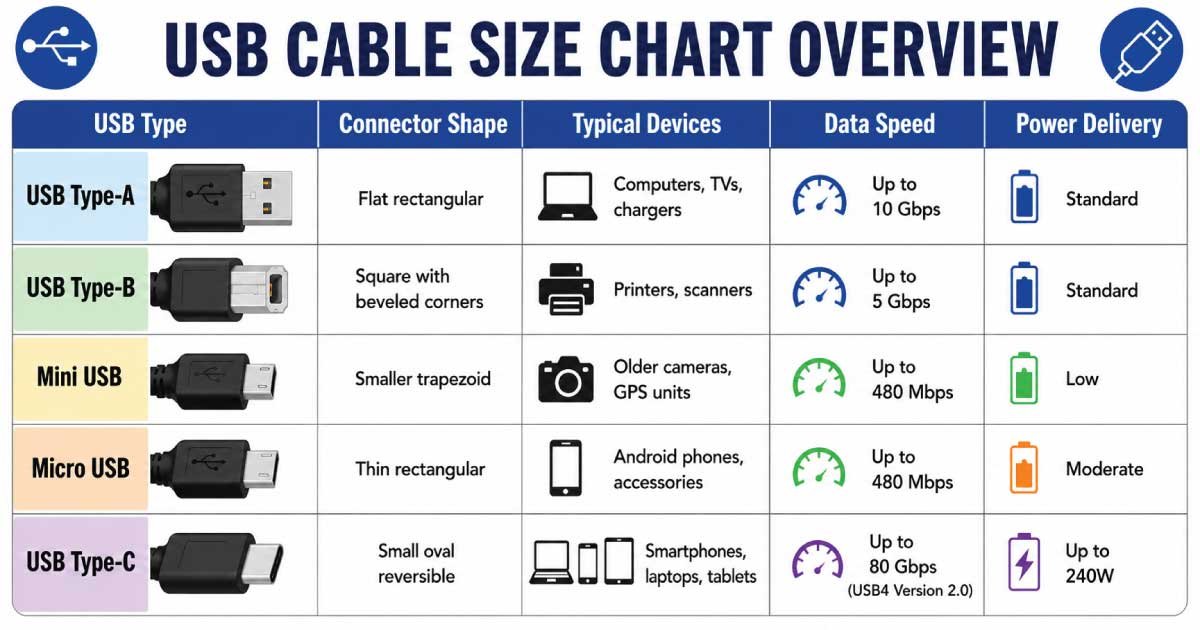
The following table summarizes the most common USB connector types and their primary characteristics.
| USB Type | Connector Shape | Typical Devices | Data Speed | Power Delivery |
|---|---|---|---|---|
| USB Type-A | Flat rectangular | Computers, TVs, chargers | Up to 10 Gbps | Standard |
| USB Type-B | Square with beveled corners | Printers, scanners | Up to 5 Gbps | Standard |
| Mini USB | Smaller trapezoid | Older cameras, GPS units | Up to 480 Mbps | Low |
| Micro USB | Thin rectangular | Android phones, accessories | Up to 480 Mbps | Moderate |
| USB Type-C | Small oval reversible | Smartphones, laptops, tablets | Up to 80 Gbps (USB4 Version 2.0) | Up to 240W |
USB cable size chart pdf
The USB Cable Size Chart Overview helps you compare the most common USB connector types, their shapes, compatible devices, data transfer speeds, and power delivery capabilities. Whether you need a cable for charging, file transfers, or connecting peripherals, this chart makes it easy to choose the right USB cable for your needs.
USB Type-A Cable
USB Type-A is the most recognized USB connector worldwide. Introduced with the original USB standard, it remains common on desktop computers, laptops, gaming consoles, televisions, and charging adapters. Although newer connectors are replacing it gradually, millions of devices still depend on USB-A for reliable connectivity.
USB Type-A Specifications
- Rectangular connector
- Non-reversible design
- Supports USB 2.0, USB 3.0, and USB 3.2
- Common in desktop computers
- Widely available worldwide
USB Type-B Cable
USB Type-B connectors are primarily designed for larger peripherals rather than portable electronics. They commonly appear on printers, scanners, external hard drives, and specialized industrial equipment. Their square-like shape minimizes accidental insertion mistakes while providing a secure connection during extended use.
USB Type-B Features
- Square connector shape
- Used mainly for printers
- Reliable wired connection
- Supports USB 2.0 and USB 3.x
- Less common in consumer electronics
Mini USB Cable
Mini USB was once the preferred connector for digital cameras, MP3 players, and handheld GPS devices. Although largely replaced by Micro USB and USB-C, older electronics continue using Mini USB cables, making them relevant for legacy device owners and repair technicians.
Mini USB Characteristics
- Smaller than USB Type-B
- Five-pin connector
- Supports USB 2.0 speeds
- Common in older portable devices
- Becoming increasingly obsolete
Micro USB Cable
Micro USB became the industry standard for Android smartphones during the 2010s. It offered a thinner connector than Mini USB while improving durability and compatibility. Despite USB-C replacing it on newer devices, Micro USB remains widely used for affordable electronics and accessories.
Advantages of Micro USB
- Compact connector
- Affordable replacement cables
- Universal support on older Android devices
- Suitable for Bluetooth speakers
- Frequently used with power banks
USB Type-C Cable
USB Type-C represents the latest generation of USB connectivity. Its reversible connector, exceptional transfer speeds, and advanced power delivery capabilities make it the preferred choice for modern laptops, smartphones, tablets, gaming devices, monitors, and professional equipment across multiple industries.
Benefits of USB Type-C
- Reversible connector
- Faster charging
- High-speed data transfer
- Video output support
- Universal compatibility across modern devices
USB Connector Dimensions
Although USB connectors differ slightly between manufacturers, standardized dimensions help ensure compatibility across millions of devices. Knowing approximate connector sizes helps users visually identify cables without relying solely on product descriptions or packaging information.
| Connector | Approximate Width | Approximate Height |
|---|---|---|
| USB-A | 12 mm | 4.5 mm |
| USB-B | 11 mm | 10 mm |
| Mini USB | 7 mm | 3 mm |
| Micro USB | 6.85 mm | 1.8 mm |
| USB-C | 8.4 mm | 2.6 mm |
USB Data Transfer Speed Comparison
Each USB generation significantly improves performance over previous versions. Faster cables reduce waiting time when transferring large files, backing up data, or connecting external storage devices. However, actual speeds also depend on device compatibility and cable quality.
| USB Standard | Maximum Speed |
|---|---|
| USB 1.1 | 12 Mbps |
| USB 2.0 | 480 Mbps |
| USB 3.0 | 5 Gbps |
| USB 3.1 | 10 Gbps |
| USB 3.2 | 20 Gbps |
| USB4 | Up to 40 Gbps |
| USB4 Version 2.0 | Up to 80 Gbps |
Charging Capabilities by USB Cable Type
Charging performance varies depending on cable quality, connector type, and supported USB standards. Modern USB-C cables provide dramatically higher wattage compared to previous generations, making them suitable for smartphones, tablets, gaming consoles, and high-performance laptops.
| Cable Type | Typical Charging Output |
|---|---|
| USB-A | 2.5W–12W |
| Micro USB | Up to 15W |
| USB-C Standard | Up to 100W |
| USB-C Extended Power Range | Up to 240W |
How to Identify the Correct USB Cable
Selecting the right USB cable becomes easier by examining the connector shape, checking device specifications, and confirming supported charging or data standards. A quick comparison prevents compatibility issues while ensuring users receive the fastest speeds their devices can support.
Consider these factors before purchasing:
- Connector type
- Cable length
- Charging wattage
- Data transfer speed
- Device compatibility
- Build quality
- Certification standards
Common Applications of Different USB Cable Sizes
Different USB connectors serve different industries and devices. While USB-C dominates new technology, older USB formats remain important for legacy hardware, office equipment, and specialized electronics. Understanding these applications helps buyers choose the appropriate cable for every situation.
Common uses include:
- Smartphones
- Tablets
- Digital cameras
- External SSDs
- Gaming consoles
- Desktop computers
- Laptops
- Printers
- Barcode scanners
- Medical equipment
Choosing the Best USB Cable for Your Needs
The ideal USB cable depends on your device, charging requirements, transfer speed expectations, and future compatibility. USB-C has become the preferred choice for most new electronics because it supports fast charging, high-speed data transfer, and video output through a single compact connector. However, USB-A, Micro USB, and Type-B cables remain essential for many existing devices, making a reliable USB cable size chart an indispensable buying guide.